MixCRM magic connect turns the forms on your website into contacts. You add one script tag to your site. You do not replace your forms, use the MixCRM form builder, install a plugin or write an integration. In MixCRM this feature is called Collected Forms.
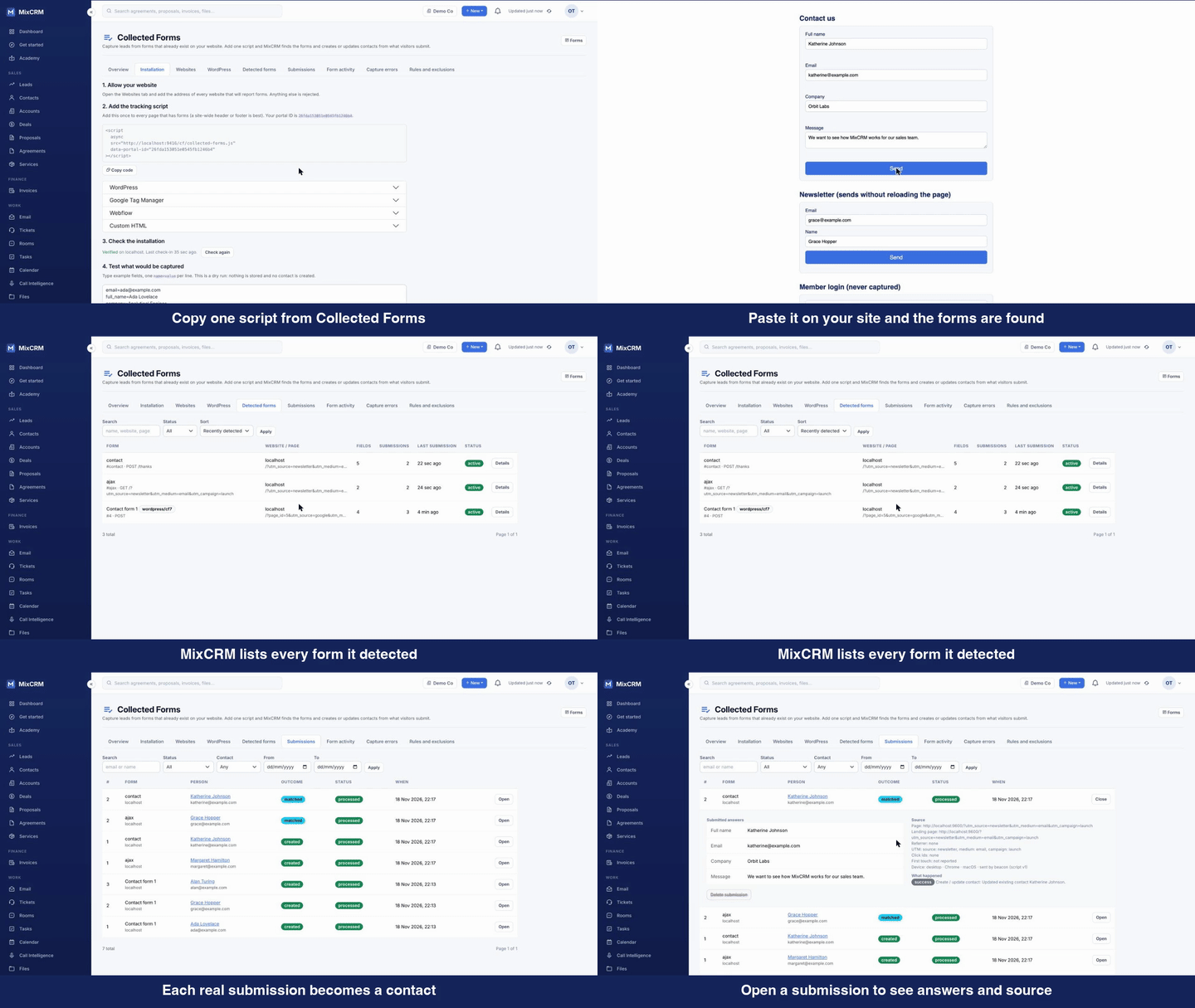
How magic connect works
After you add the script, MixCRM finds the forms that already exist on your pages. When a visitor submits one, MixCRM creates a contact or updates the existing one. Workflows can start from a new collected form submission.
Set it up in 5 steps
- In MixCRM open Forms, then Collected Forms.
- Allow your website on the Websites tab.
- Copy the script from the Installation tab and add it to your pages. A site wide header or footer is best.
- Open a page on your site. The website shows as verified.
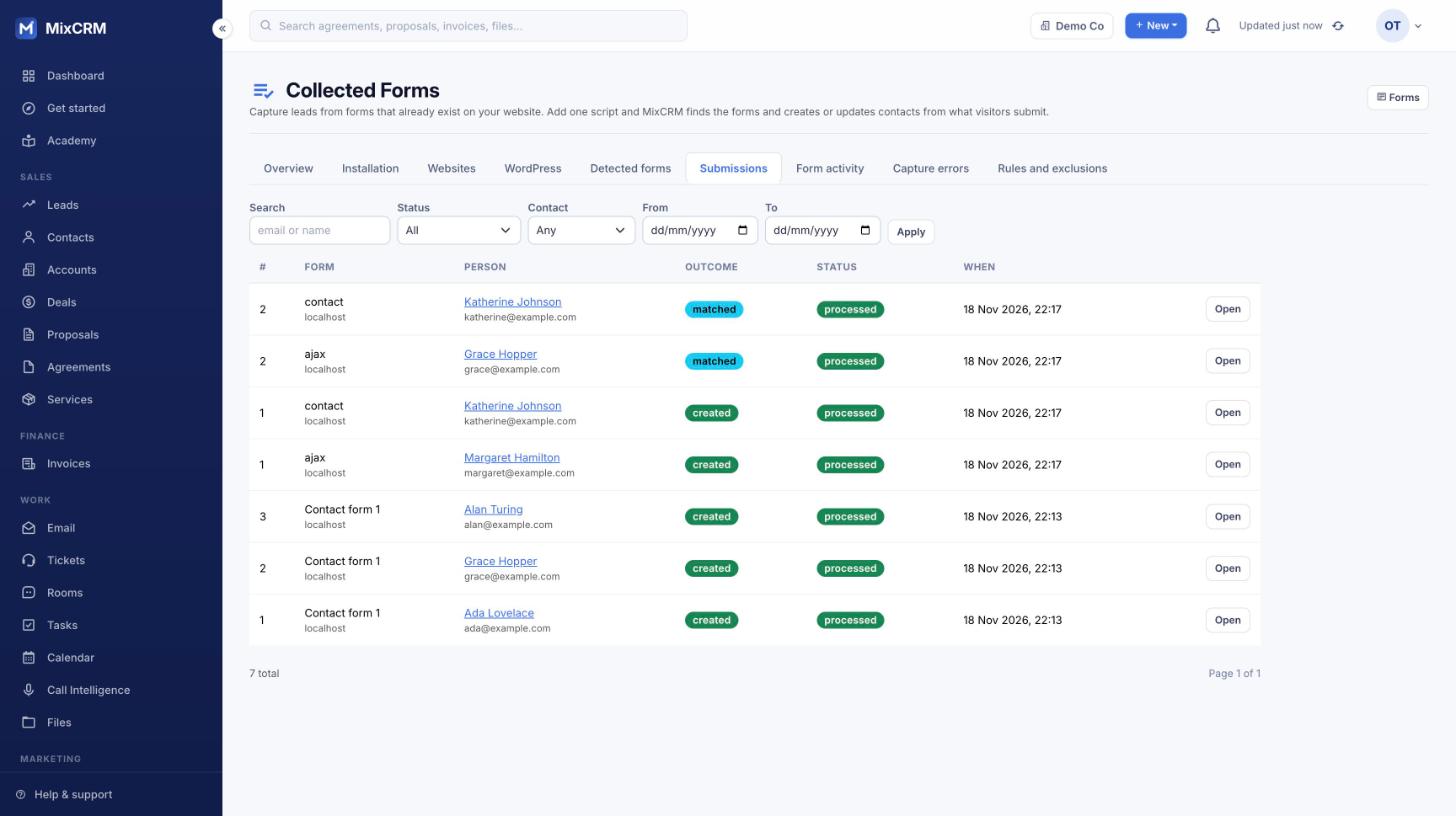
- Submit a form. The submission and the contact appear in MixCRM.
Where to add the script
- WordPress. Use a header and footer plugin or your theme custom code.
- Google Tag Manager. Add a Custom HTML tag on All Pages.
- Webflow. Use the project Custom code in the head.
- Plain HTML. Add it before the closing head tag.
Works with the forms you already have
It works with ordinary HTML forms, forms sent without reloading the page (AJAX), forms that appear later on the page, and single page sites. It never changes how your form works and never delays it.
Private by design
Passwords, card details, one time codes, file uploads, captcha and security tokens are never collected. Login and payment forms are skipped. You can exclude any field or form with a data attribute or a CSS selector. Nothing is captured before a real submission. An optional consent mode captures nothing until your site says the visitor agreed. The website owner stays responsible for their privacy notices and consent.
Clean contacts, no duplicates
Contacts are matched by email, so people are not duplicated. Empty answers never overwrite existing details. The first campaign source of a person is kept.
Good to know
Ad blockers can stop the script from loading. The visitor's form itself still works. A submission is lost if the visitor closes the page before it is sent.