MixCRM Forms for WordPress 1.1.0 is here. This is the first public release. The plugin sends the submissions of your WordPress forms to MixCRM. Each person becomes a contact, or an existing contact is updated.
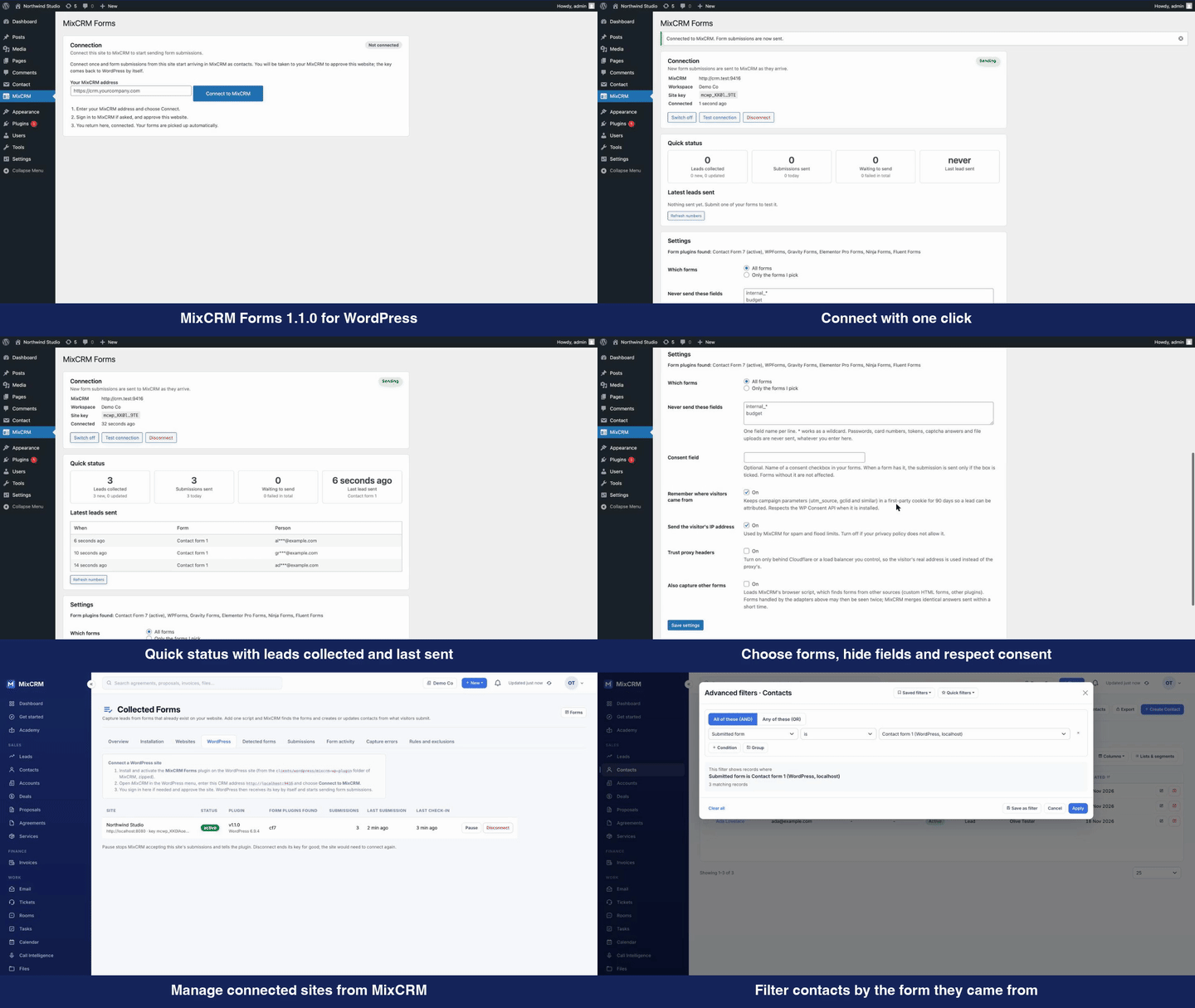
Connect with one click
Install and activate the plugin. The MixCRM screen opens in the WordPress menu. Enter your MixCRM address and choose Connect to MixCRM. MixCRM opens, you sign in if asked and approve the website. Then you land back in WordPress, connected. The key returns to WordPress by itself and never passes through the browser.
Works with the form plugins you use
MixCRM Forms works with Contact Form 7. It also has adapters for WPForms, Gravity Forms, Elementor Pro Forms, Ninja Forms and Fluent Forms. Developers can send a custom form with one function call.
You stay in control
- Switch sending on and off at any time.
- Send all forms or only the forms you pick.
- Exclude fields by name.
- Add an optional consent checkbox so only people who agreed are sent.
Sensitive data is never sent
Passwords, card numbers, tokens, captcha answers and file uploads are never sent to MixCRM.
Visitors never wait
Submissions are sent after the page response, so your visitors never wait for MixCRM. If MixCRM cannot be reached, the plugin retries automatically.
Every lead keeps its source
The plugin remembers where visitors came from, such as campaign parameters like utm_source and ad click ids, in a first party cookie. Each lead keeps its source. It also respects the WP Consent API when it is installed.
See it all in MixCRM
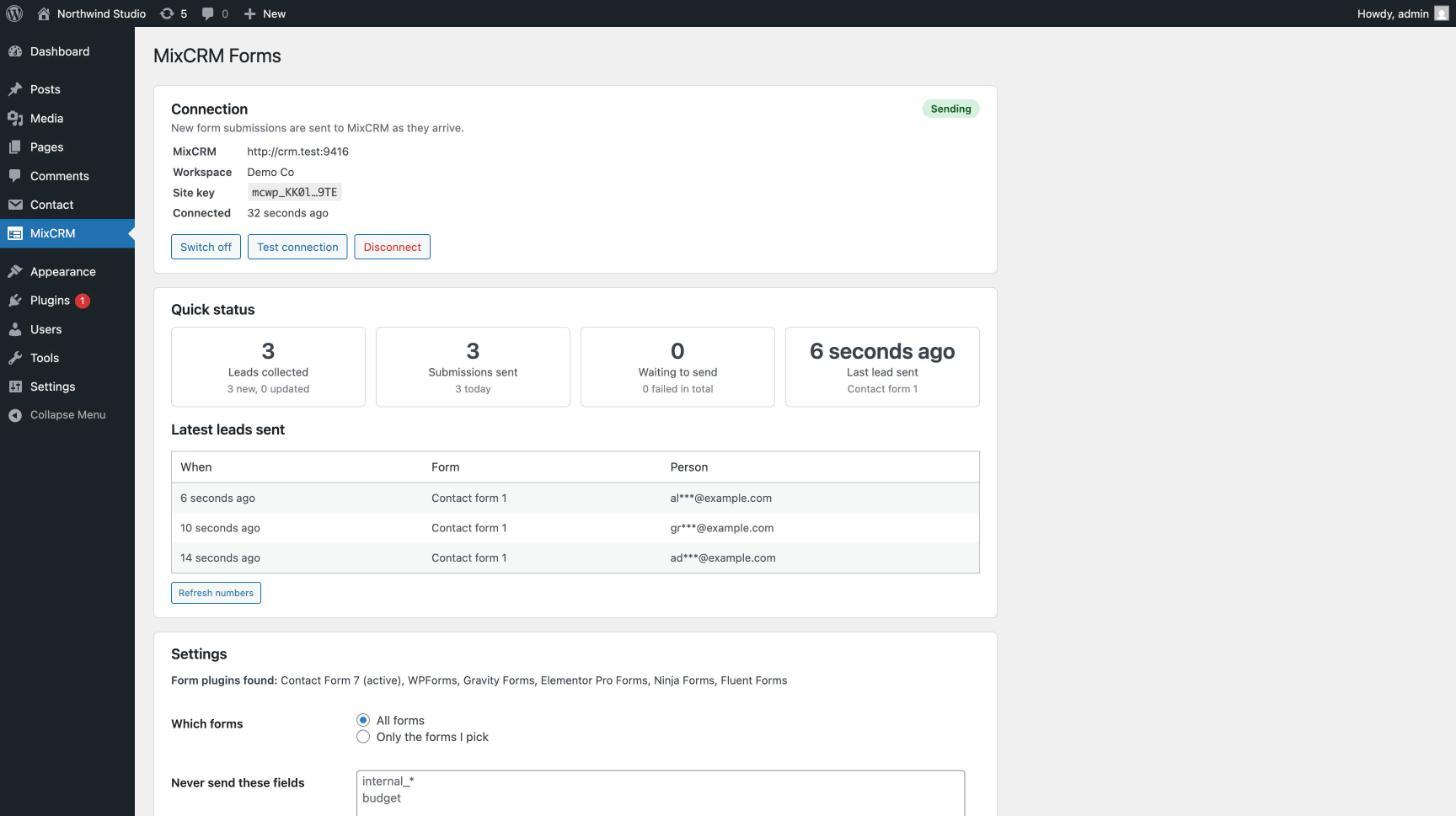
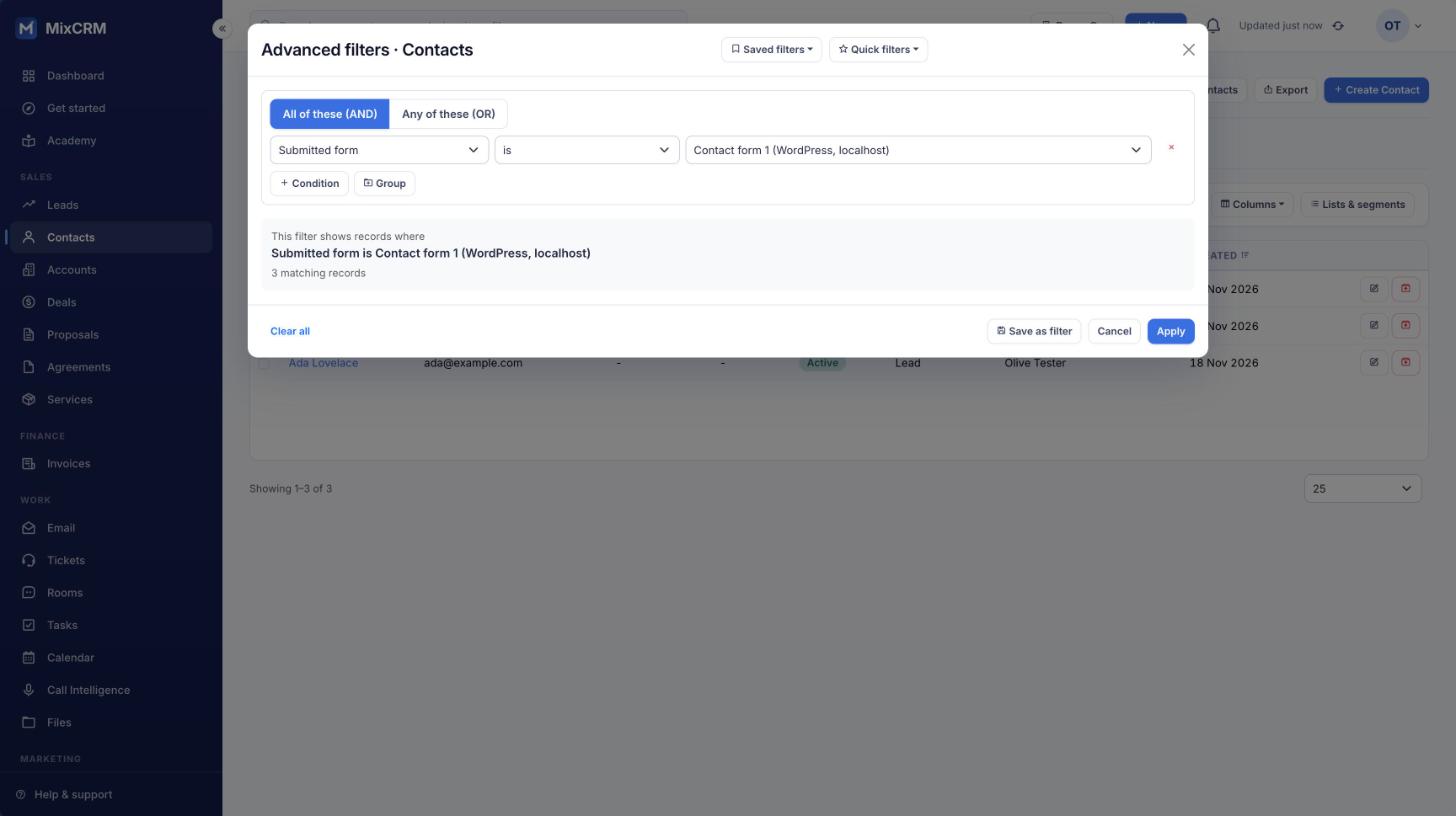
A quick status card shows leads collected, submissions sent, submissions waiting to send, the last lead sent and the latest leads, with email partly hidden. An activity log sits below it. In MixCRM, open Forms, then Collected Forms, then the Connected sites tab. There you can see each connected site, pause it, resume it or disconnect it. In the Contacts and Leads lists you can use the new Submitted form filter to find people by the form they sent.
Requirements
- WordPress 5.8 or newer
- PHP 7.4 or newer
- A MixCRM address that uses https (a local test address is allowed for development)
Get started
Read our guide, How to connect MixCRM with WordPress website?, for the steps. Connecting takes a few minutes.